Become visible to the community – create your listing!
In this tutorial, we’ll show you how to create your listing so you can become visible worldwide and start connecting with the community.
Your listing is your personal introduction to the community. It helps other members discover who you are, what you offer, and how they can connect with you. It only takes a few minutes to set up, and it opens the door to a worldwide network of dog lovers.
Step 1
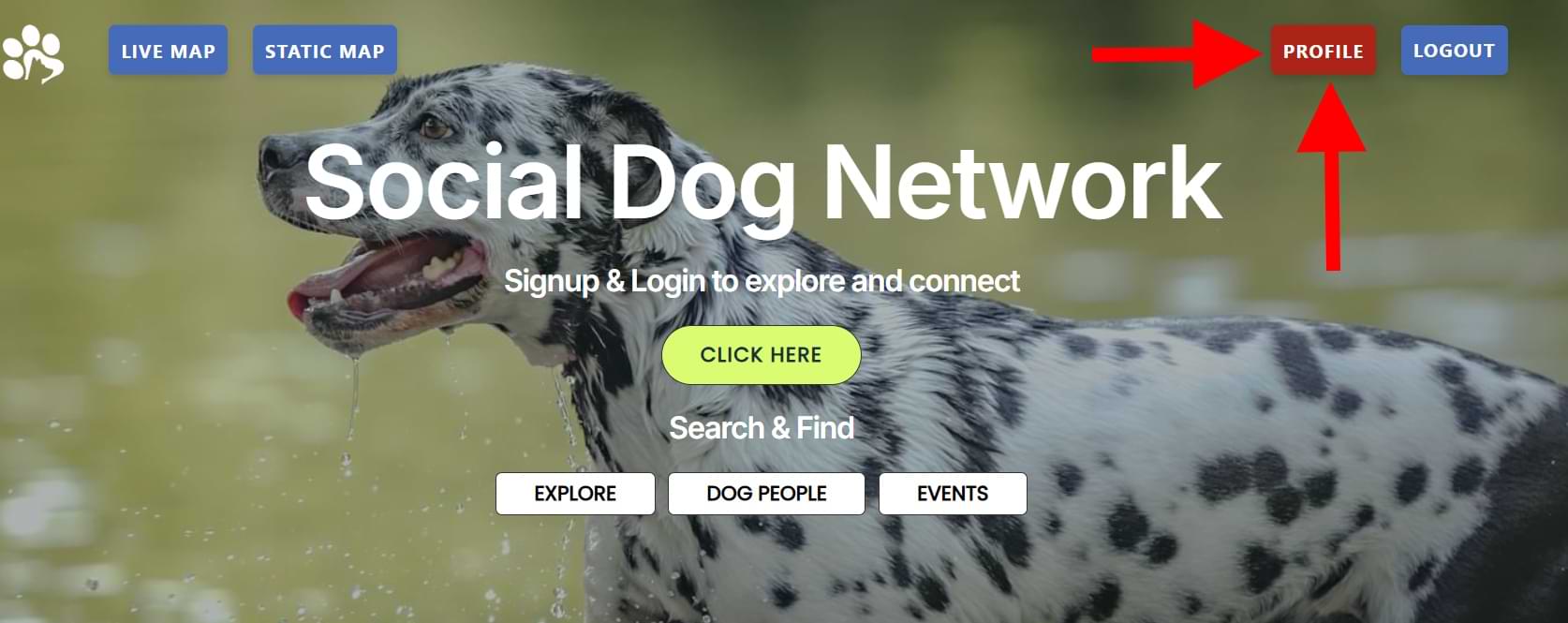
Click Profile (top right) once you are logged in.
You will be taken to your Account Details page.
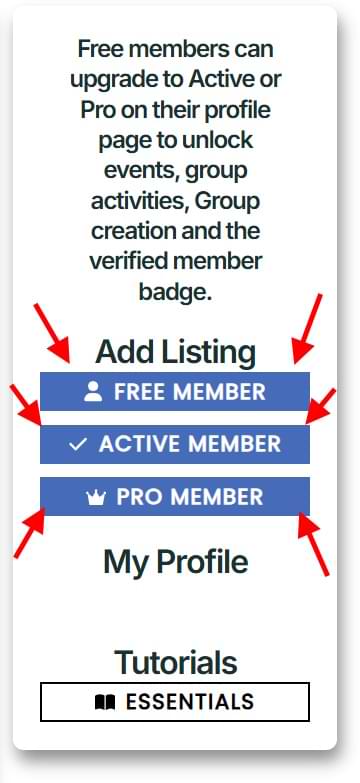
On this page, you can create a new listing. Select Free, Active, or Pro to add a listing under the corresponding plan.
Step 2
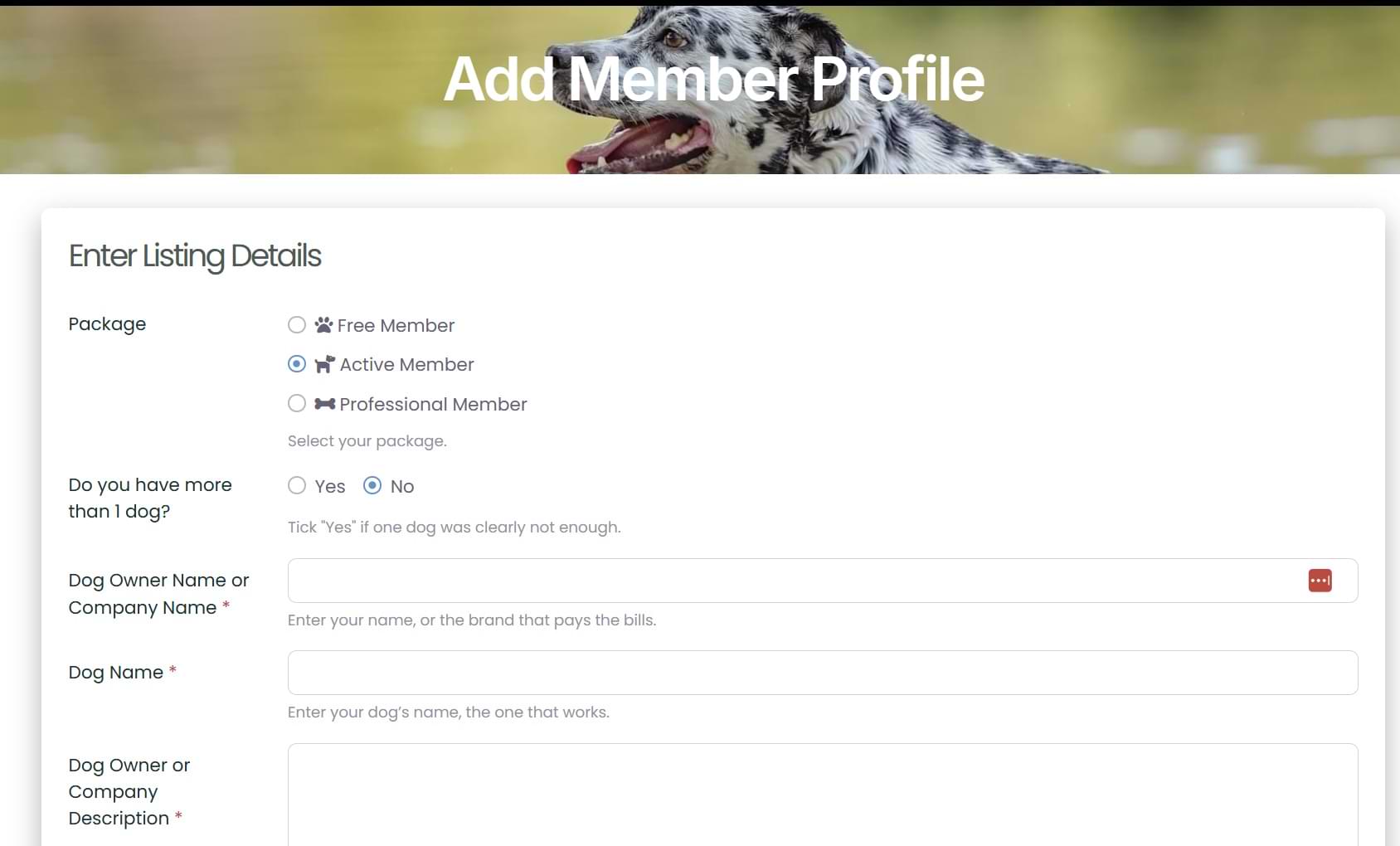
A new window will open.
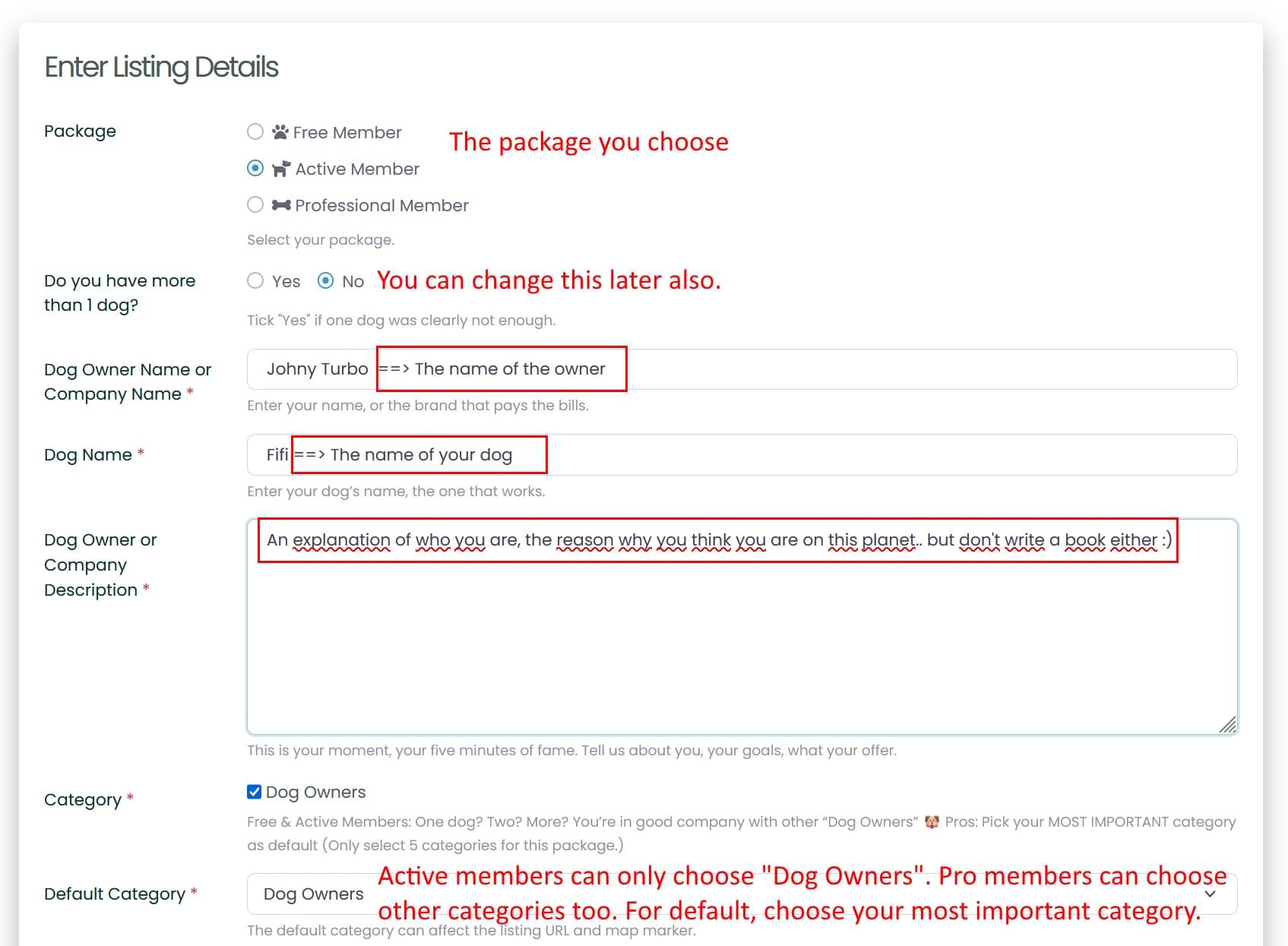
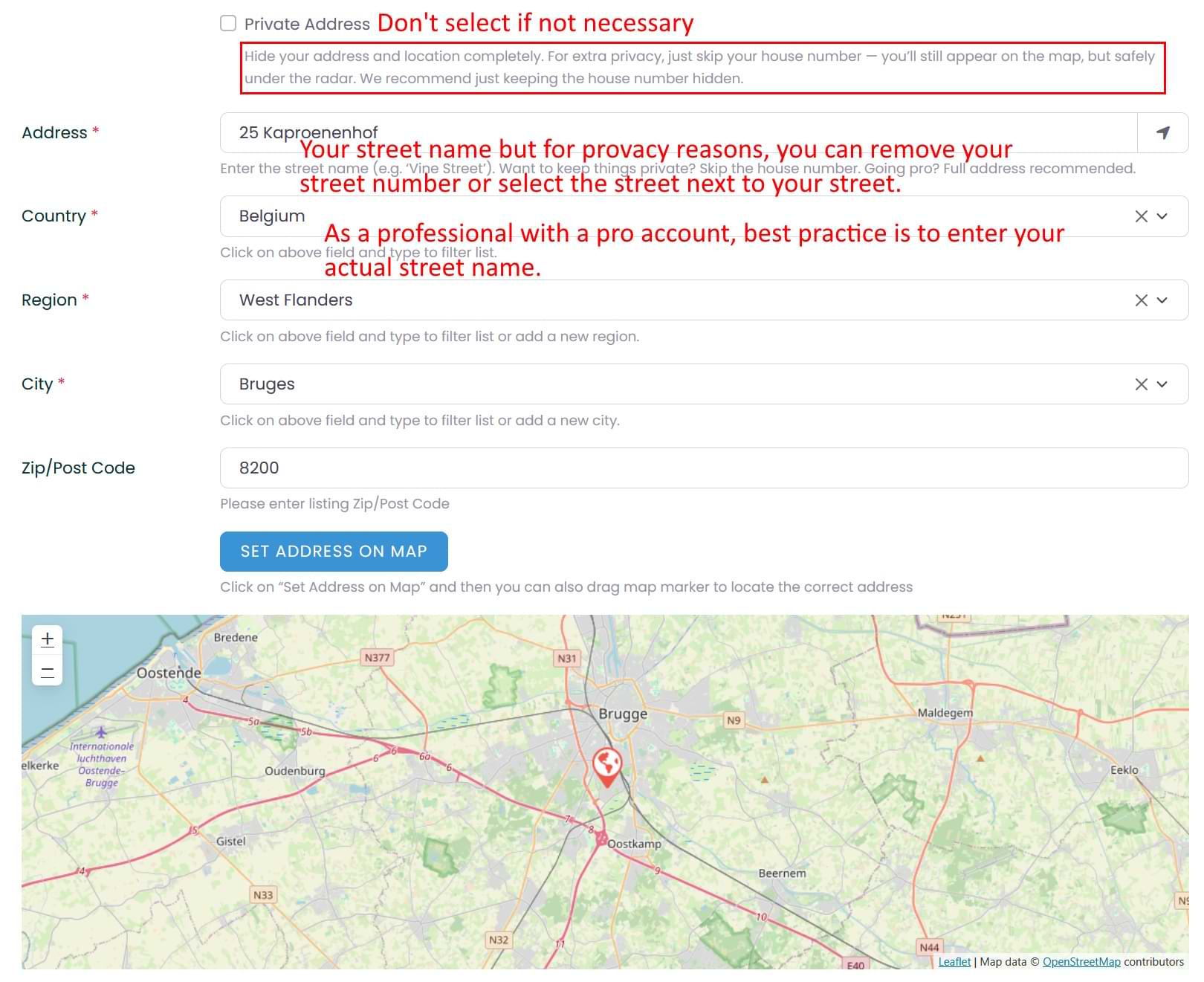
Complete your profile.
For privacy reasons, you can limit your address to just the street name. Your exact location will not be shown in text format on the maps. If you are a professional, you are required to enter your full address.
Step 3 – Pro listing
A pro listing has additional fields.
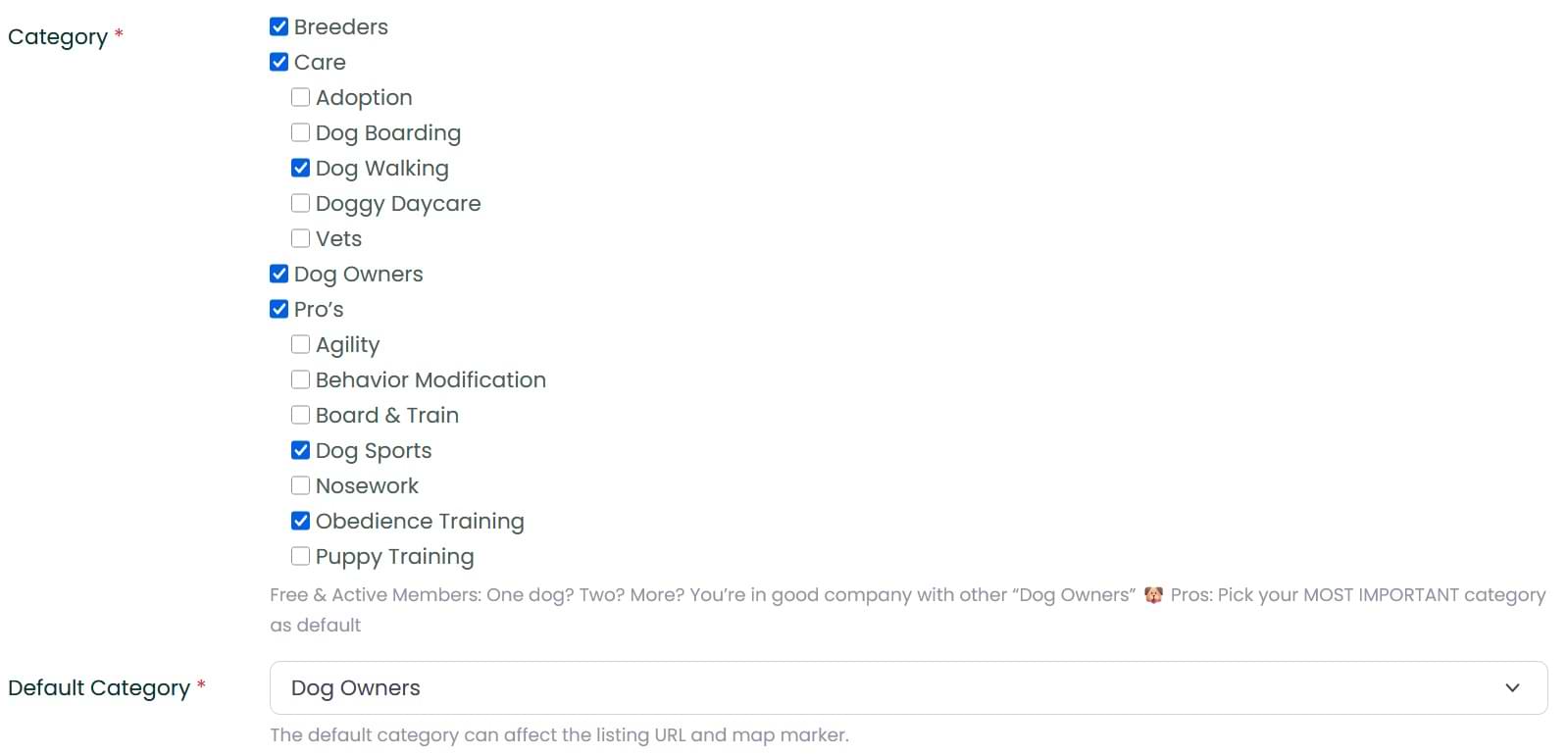
Select your areas of expertise.
Set your cornerstone skill as your default category.
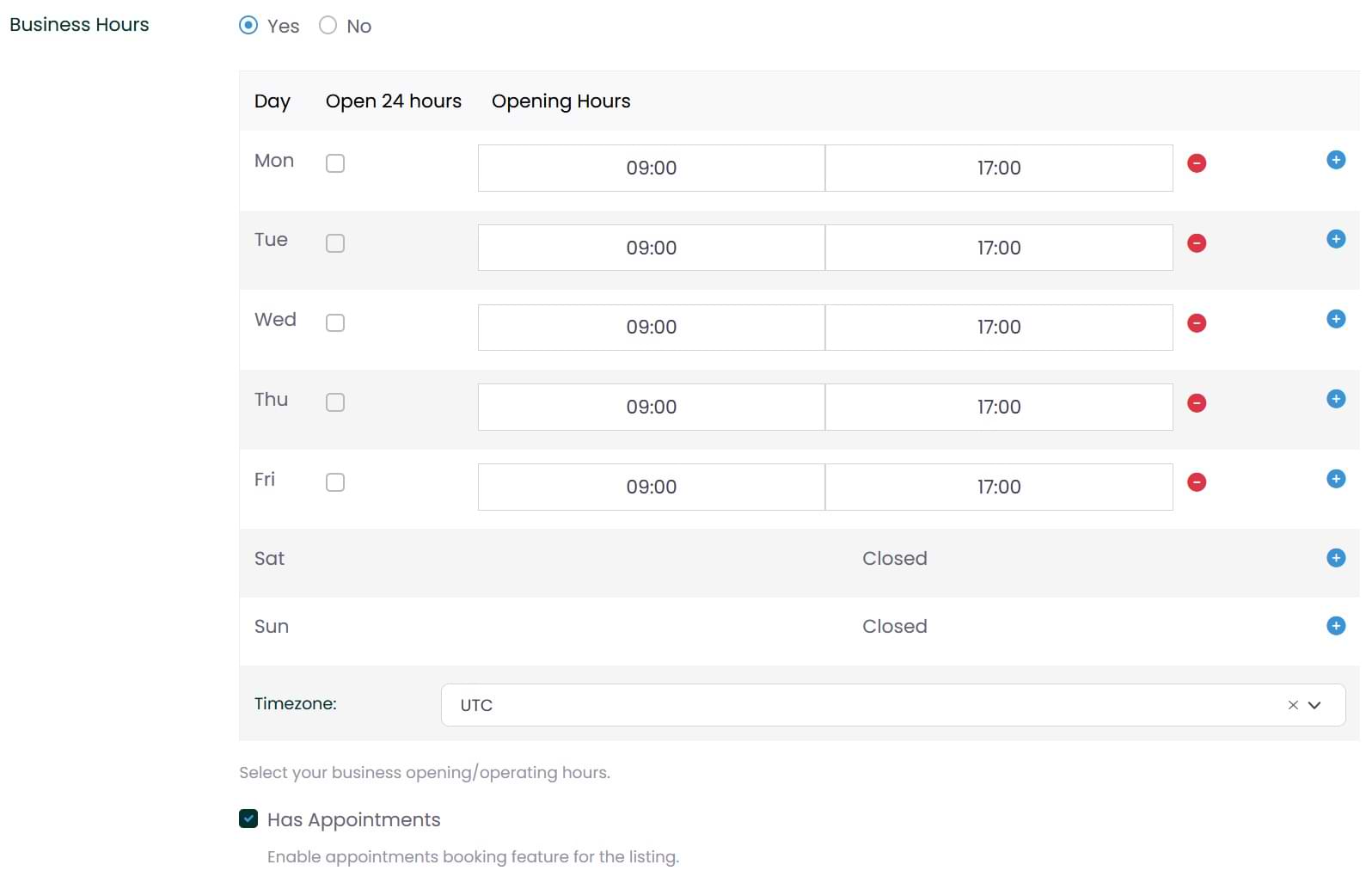
Show your availability.
Do you accept appointments? (Beta)
Manage Consent
You can manage your cookie preferences here. Some features may not work properly if certain cookies are disabled.
Functional
Always active
The technical storage or access is required to enable essential website functions requested by the user, such as logging in, ensuring security, and providing basic site functionality.
Preferences
The technical storage or access is necessary for the legitimate purpose of storing preferences that are not requested by the subscriber or user.
Statistics
The technical storage or access that is used exclusively for statistical purposes.The technical storage or access that is used exclusively for anonymous statistical purposes. Without a subpoena, voluntary compliance on the part of your Internet Service Provider, or additional records from a third party, information stored or retrieved for this purpose alone cannot usually be used to identify you.
Personalization cookies
The technical storage or access is used to improve your experience by showing more relevant content and features based on your activity on our website.